
01
为什么聊天比一长段提示词好用
一长段提示词要求模型一次做对五件事,只要有一件出错就得从头再来。在对话里,每条消息只改一处,每个结果在下一步之前就能看到,改坏的一步只需一次撤销。对话还会标出每条消息回复的是哪个气泡,所以你始终清楚改的是哪一张。
在这里用 AI 提示词修图,只要发一张照片,再把要改的地方当作一条消息打出来。修好的照片会作为回复发回来,下一条消息修改的就是这条回复,而不是原图。这样很容易一步步来:先调亮,再清理背景,最后加上黄金时刻的光线,每一步都保留在对话里。
更新于
10 MB 以内的 JPG、PNG、WebP 或 HEIC。确认照片是你本人的或你已获准编辑;iPhone 的 HEIC 照片会在浏览器里转换。
用平常的话写出改动,或点一个快捷回复:更亮一点、去掉背景杂物、黄金时刻、做成贴纸。积分价格显示在发送按钮上。
回复最新的气泡继续改,回复更早的气泡开分支,点「撤销」免费后退一步。任何结果都可以下载、分享或复制。
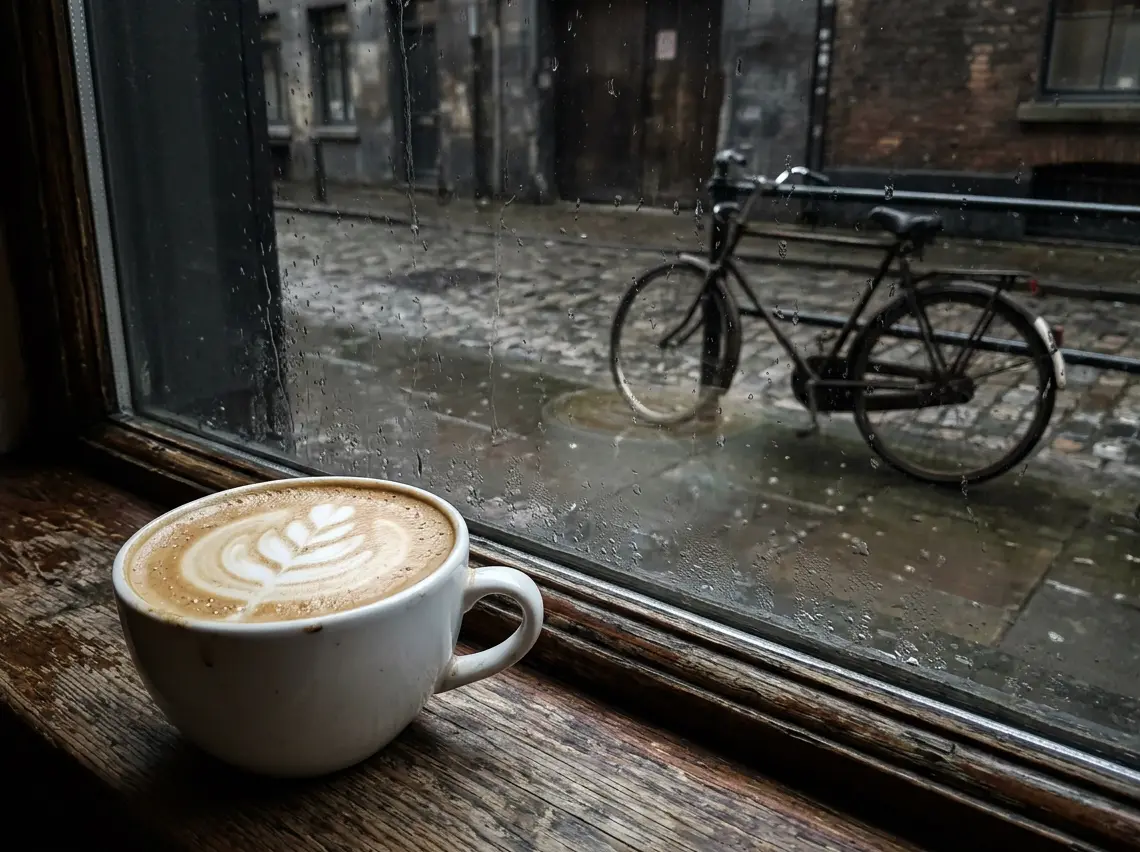
更亮一点
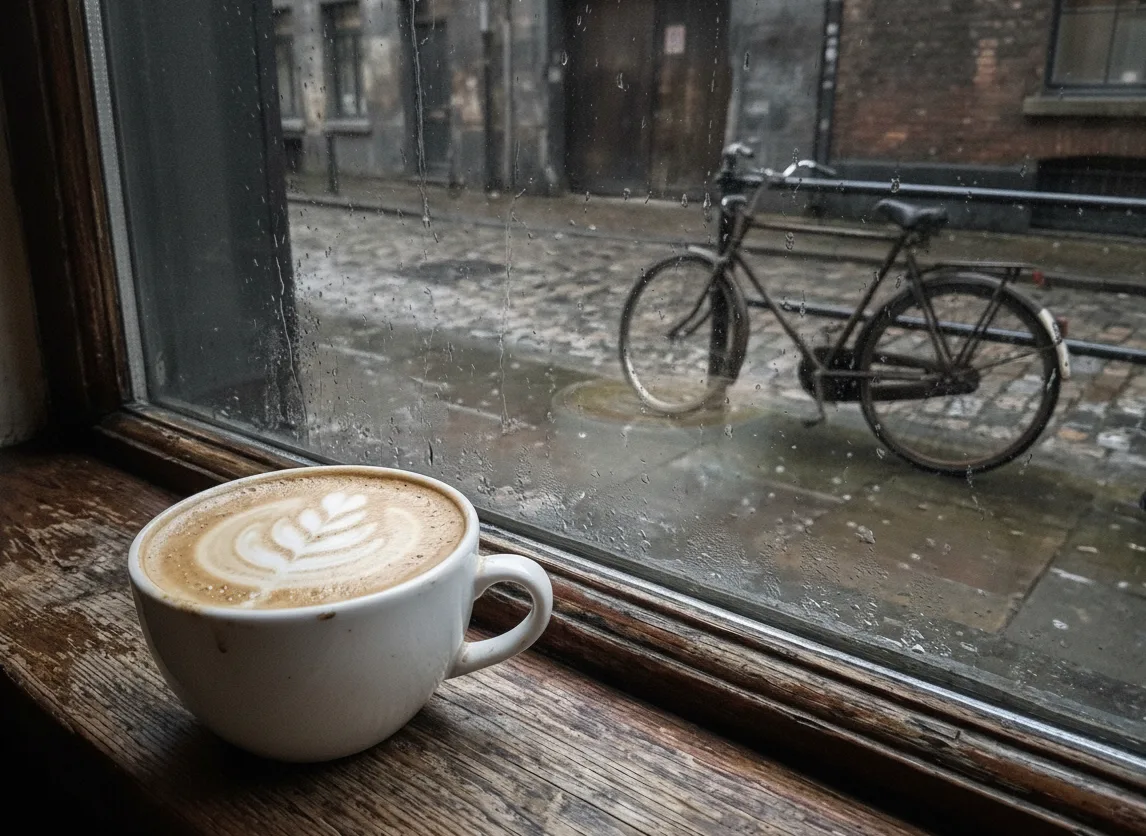
Make this photo brighter and clearer: lift the shadows, balance the exposure and add a little natural contrast, as if it were shot in better light. Change only the light and colour. Keep every person exactly who they are: same face, identity, age, body and expression, and do not place anyone in a new situation. Keep everything else in the photo as it is unless this instruction changes it. Add no text, borders or watermarks.
黄金时刻

Relight this photo as if it were taken at golden hour: warm, low sunlight from the side with long soft shadows and a gentle glow. Change only the light, shadows and colour temperature. Keep every person exactly who they are: same face, identity, age, body and expression, and do not place anyone in a new situation. Keep everything else in the photo as it is unless this instruction changes it. Add no text, borders or watermarks.
在杯子旁边加一小盆罗勒
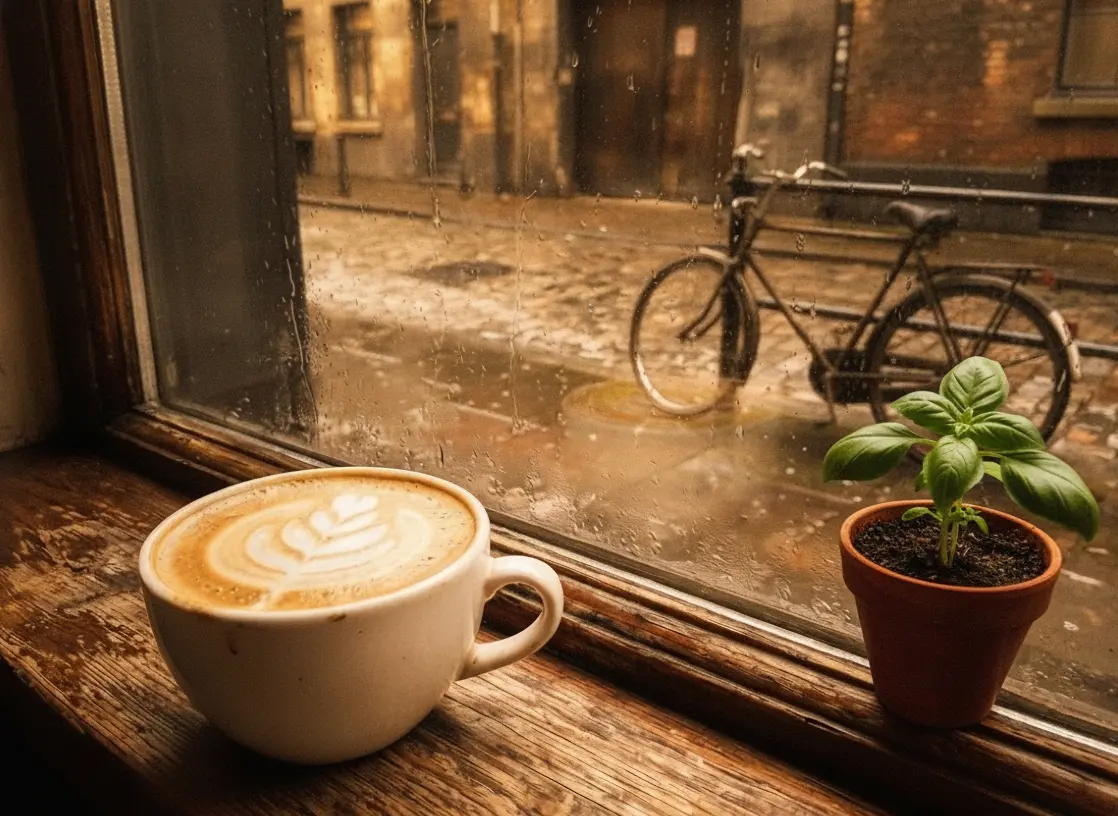
Edit this photo: add a small potted basil plant next to the cup. Keep every person exactly who they are: same face, identity, age, body and expression, and do not place anyone in a new situation. Keep everything else in the photo as it is unless this instruction changes it. Add no text, borders or watermarks.
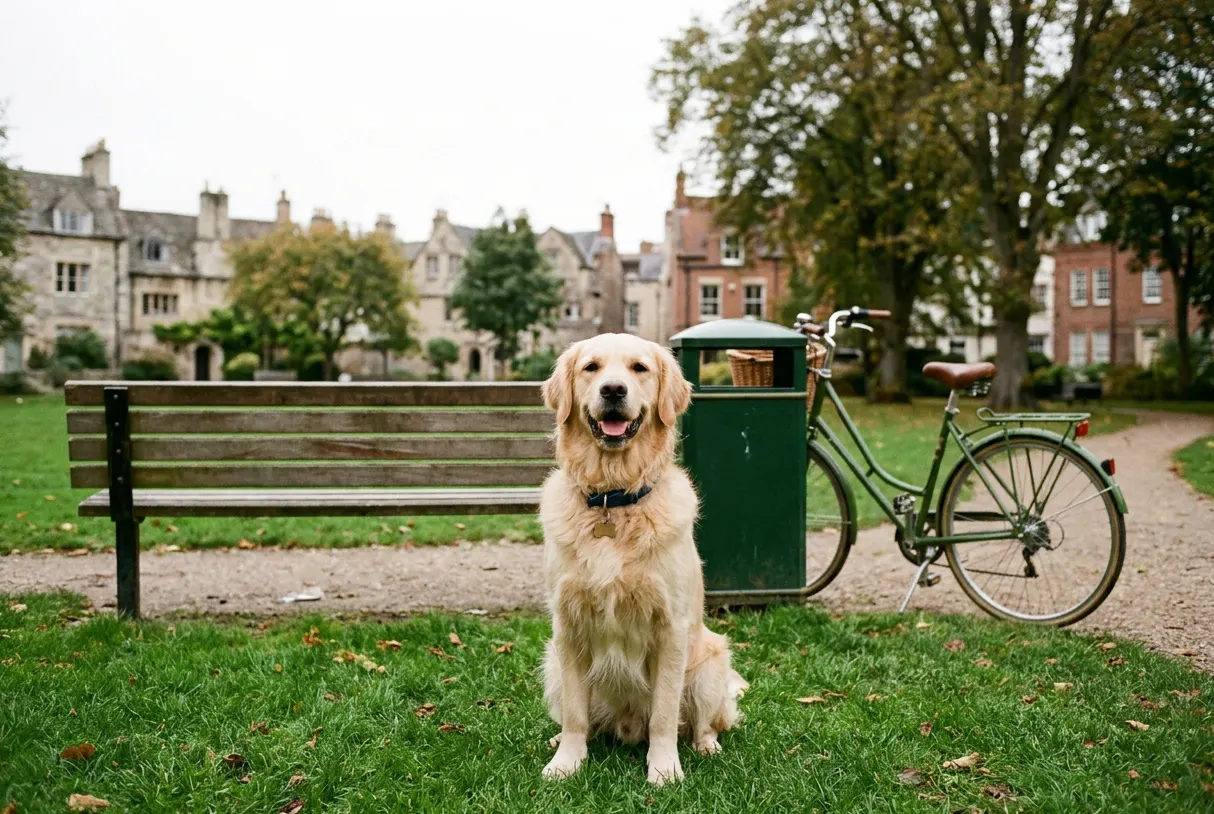
去掉背景杂物:长椅旁的绿色垃圾桶和自行车
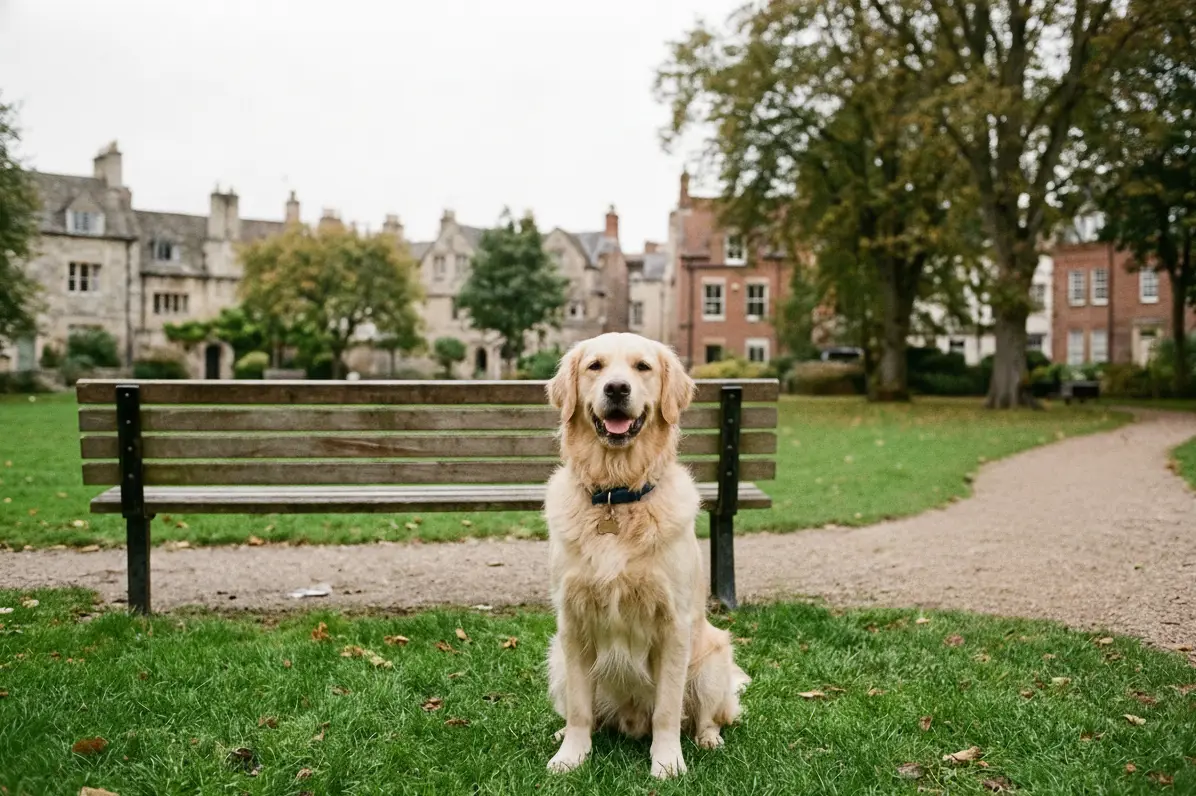
Remove the green rubbish bin and the bicycle next to the bench from this photo and fill each area with what would naturally be behind it, matching the surrounding texture, light and perspective. Leave no trace, ghosting or blur. Keep every person exactly who they are: same face, identity, age, body and expression, and do not place anyone in a new situation. Keep everything else in the photo as it is unless this instruction changes it. Add no text, borders or watermarks.
换个天空
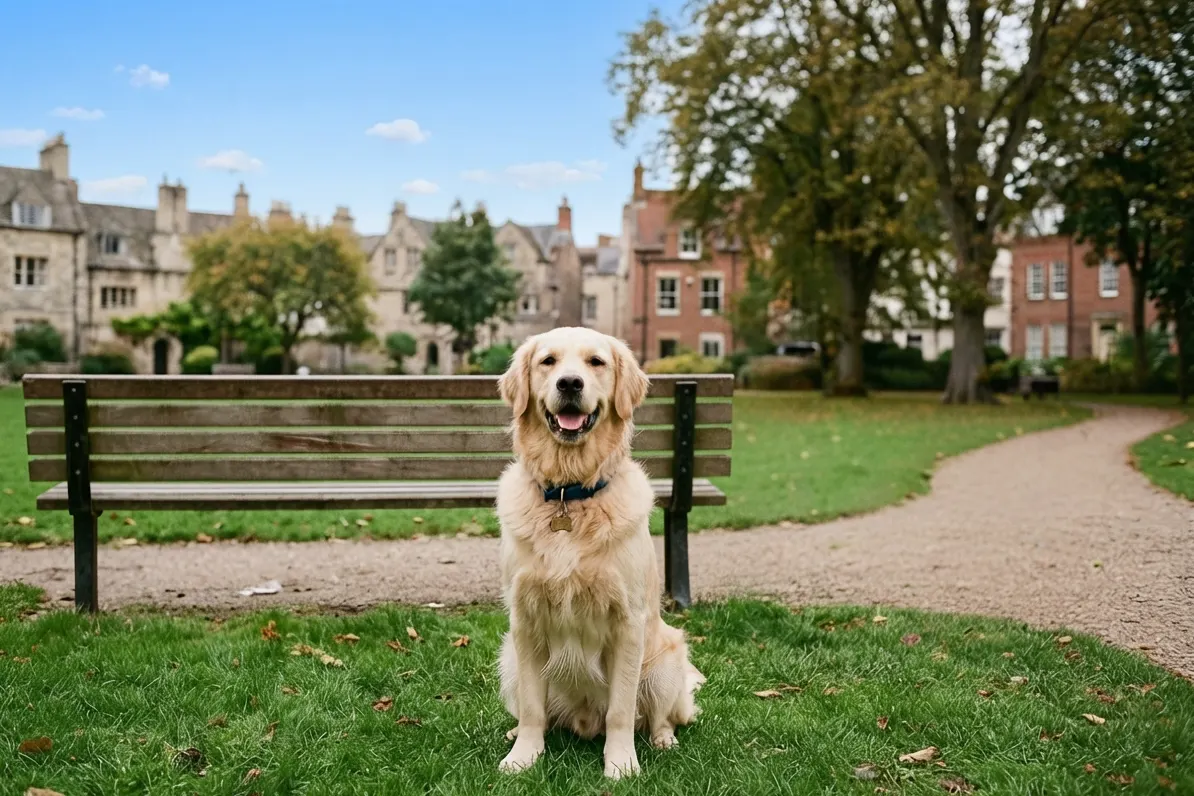
Replace the sky in this photo with a clear blue sky with a few soft clouds, and adjust the light on the scene so it matches the new sky. Change nothing else. Keep every person exactly who they are: same face, identity, age, body and expression, and do not place anyone in a new situation. Keep everything else in the photo as it is unless this instruction changes it. Add no text, borders or watermarks.
做成贴纸
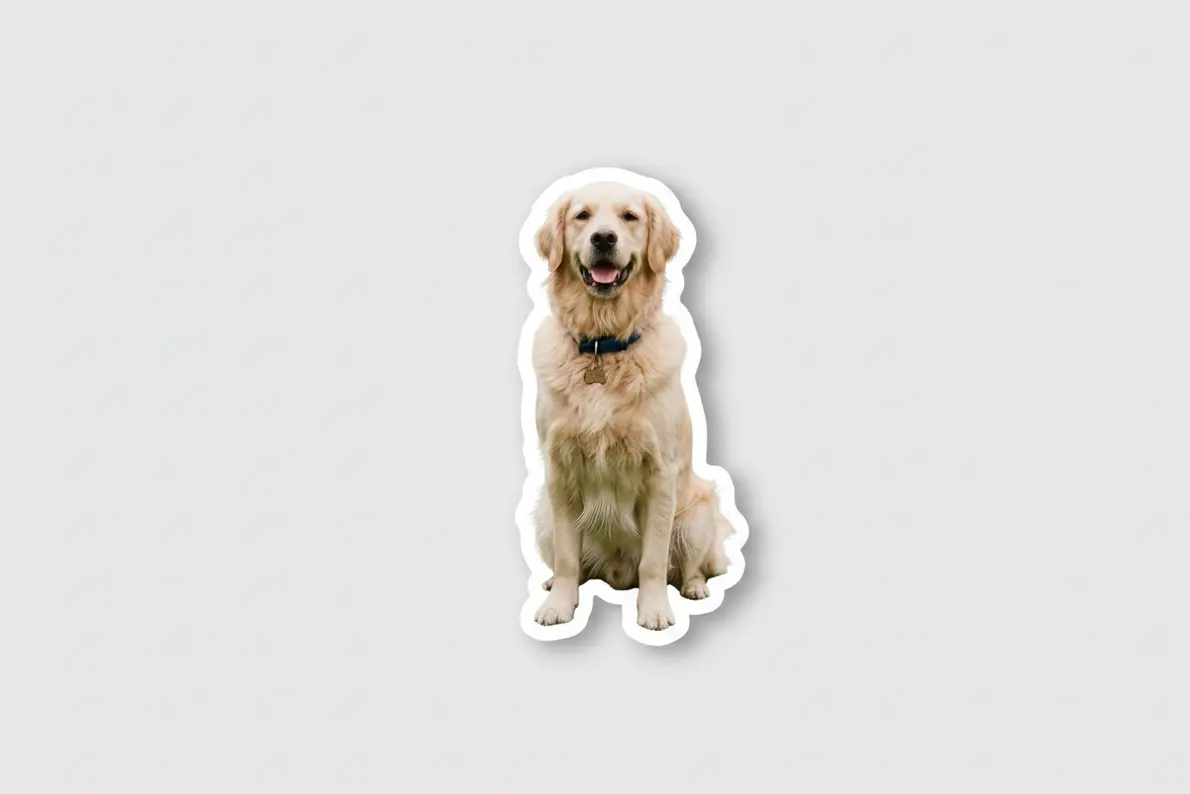
Turn the main subject of this photo into a die-cut sticker: the subject cut out with a thick clean white border and a soft drop shadow, on a plain light background. Keep the subject's shape, colours and details as they are. Keep every person exactly who they are: same face, identity, age, body and expression, and do not place anyone in a new situation. Keep everything else in the photo as it is unless this instruction changes it. Add no text, borders or watermarks.
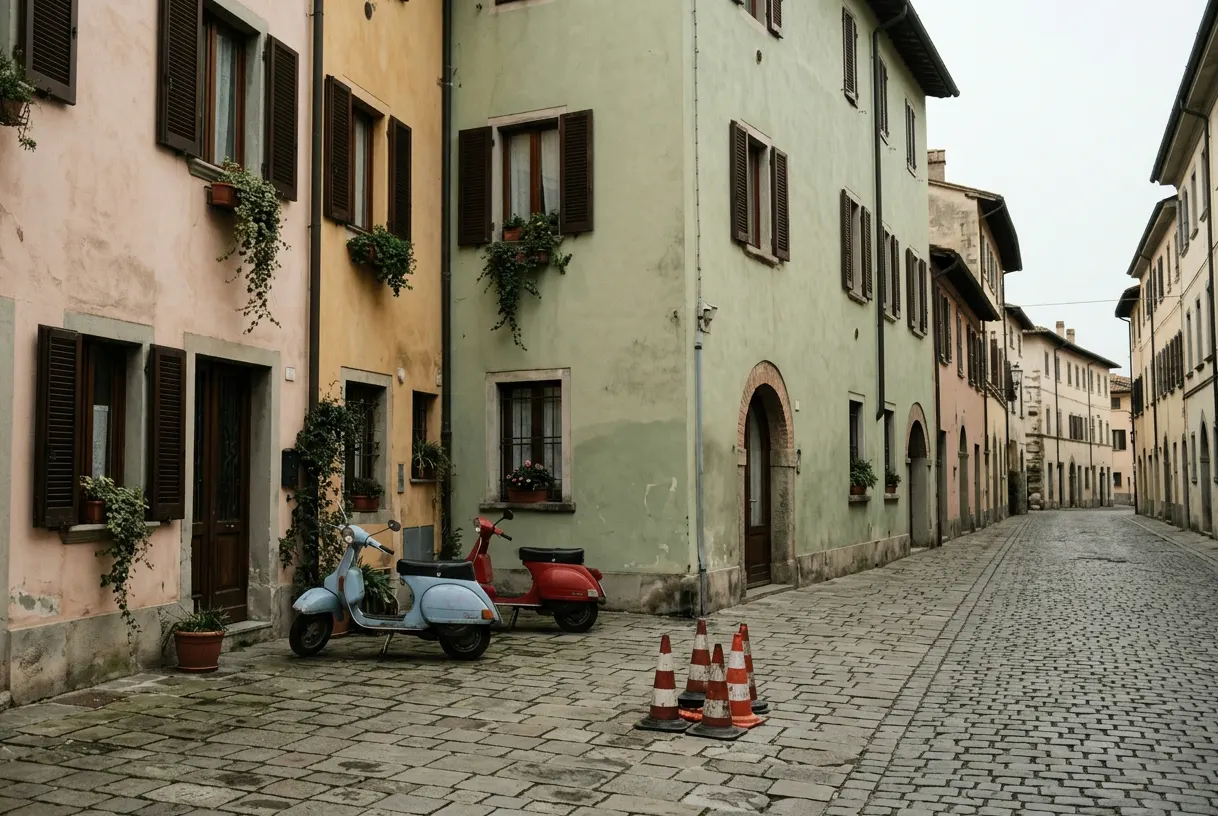
换天空:柔和的粉色晚霞
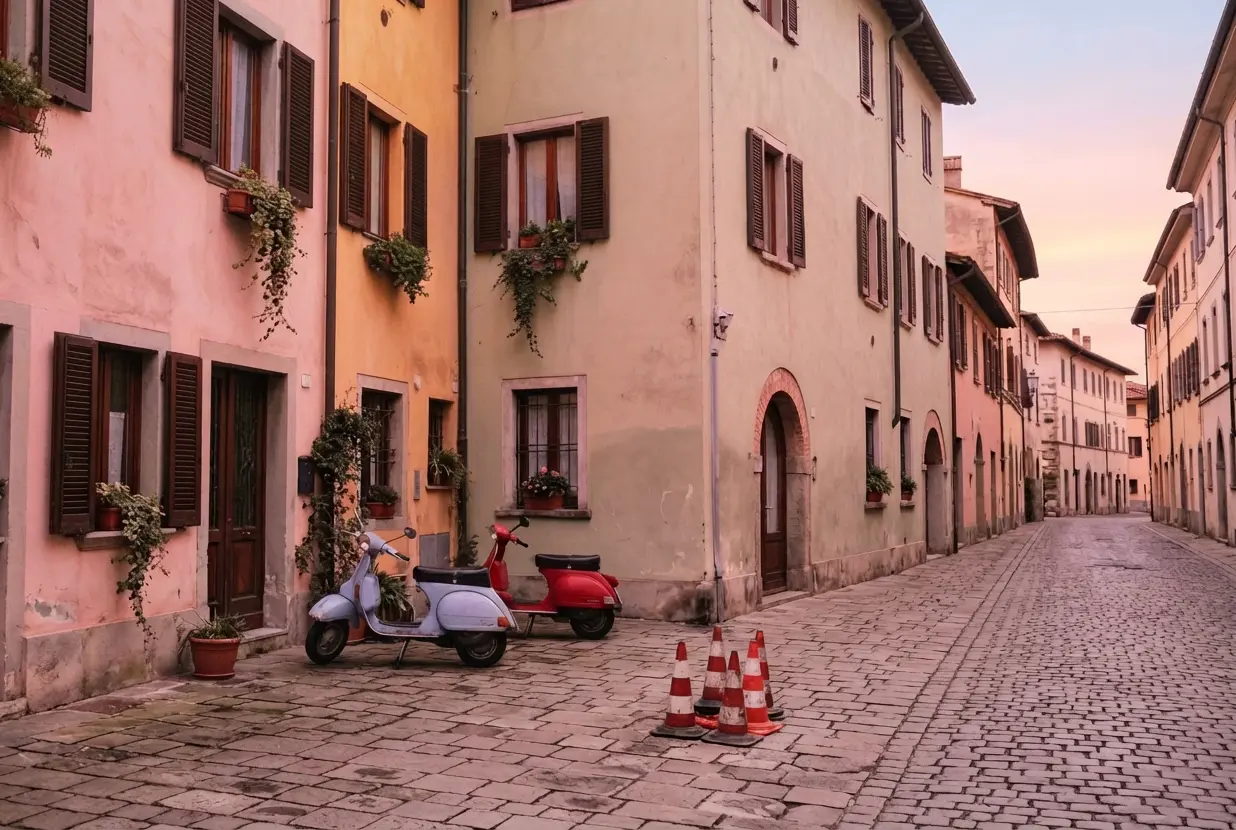
Replace the sky in this photo with a soft pink sunset sky, and adjust the light on the scene so it matches the new sky. Change nothing else. Keep every person exactly who they are: same face, identity, age, body and expression, and do not place anyone in a new situation. Keep everything else in the photo as it is unless this instruction changes it. Add no text, borders or watermarks.
去掉人行道上的路锥
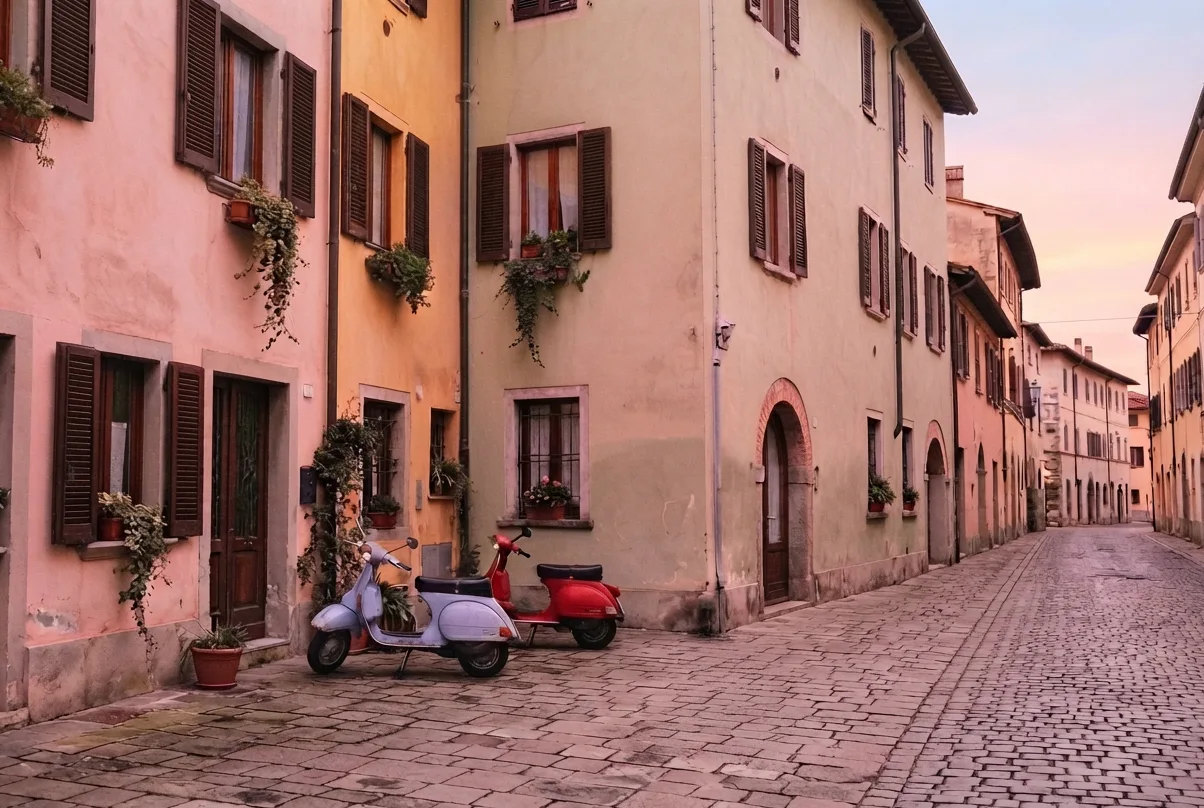
Remove the traffic cones on the pavement from this photo and fill the area with what would naturally be behind it, matching the surrounding texture, light and perspective. Leave no trace or blur. Keep every person exactly who they are: same face, identity, age, body and expression, and do not place anyone in a new situation. Keep everything else in the photo as it is unless this instruction changes it. Add no text, borders or watermarks.
加上飘落的小雪,其他保持不变
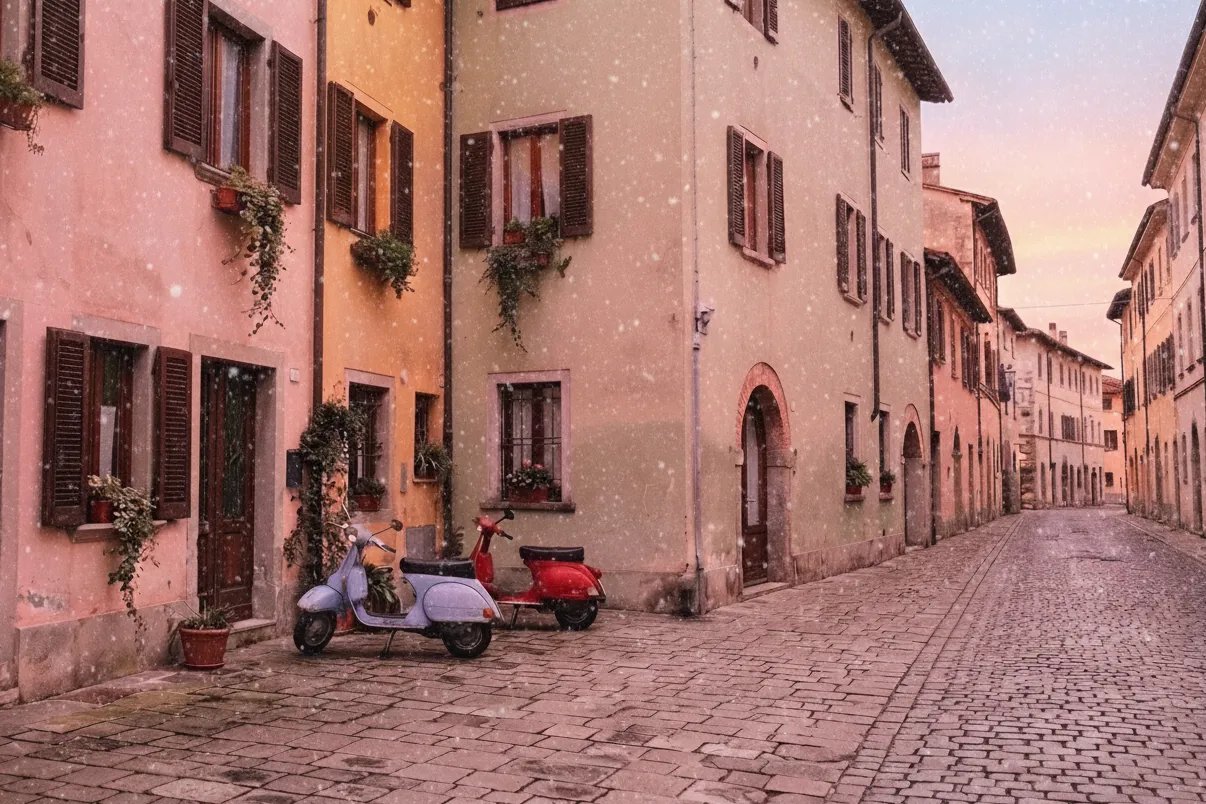
Edit this photo: add light snow falling, keep everything else the same. Keep every person exactly who they are: same face, identity, age, body and expression, and do not place anyone in a new situation. Keep everything else in the photo as it is unless this instruction changes it. Add no text, borders or watermarks.
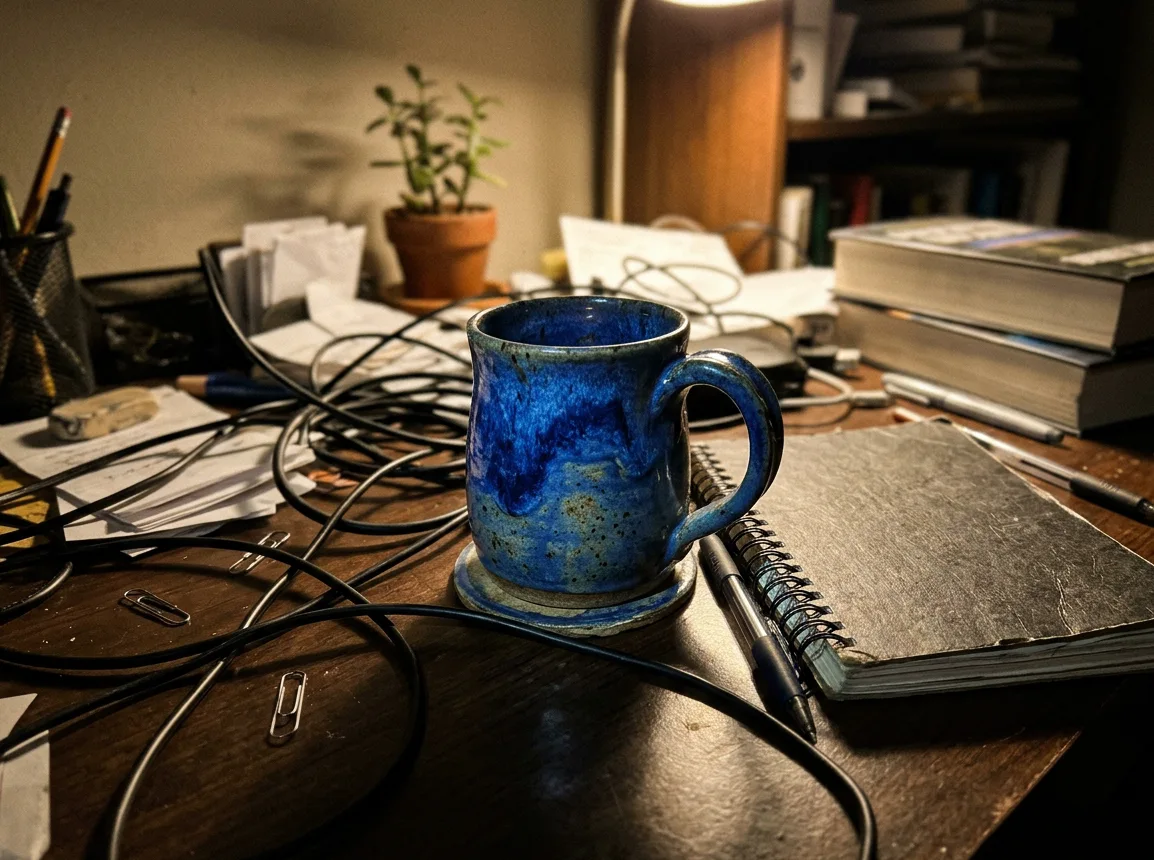
去掉缠在一起的黑色电线
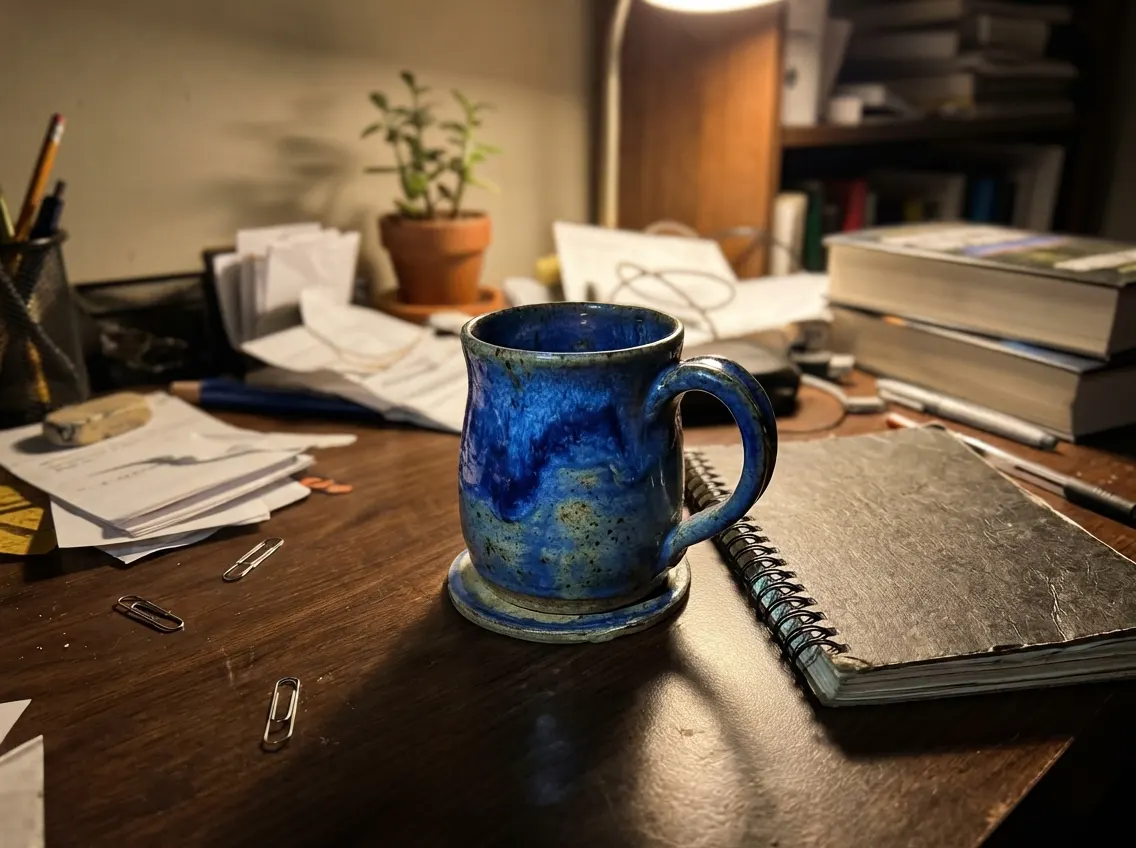
Remove the tangled black cables from this photo and fill the area with what would naturally be behind it, matching the surrounding texture, light and perspective. Leave no trace or blur. Keep every person exactly who they are: same face, identity, age, body and expression, and do not place anyone in a new situation. Keep everything else in the photo as it is unless this instruction changes it. Add no text, borders or watermarks.
换背景:阳光窗边的温暖木桌
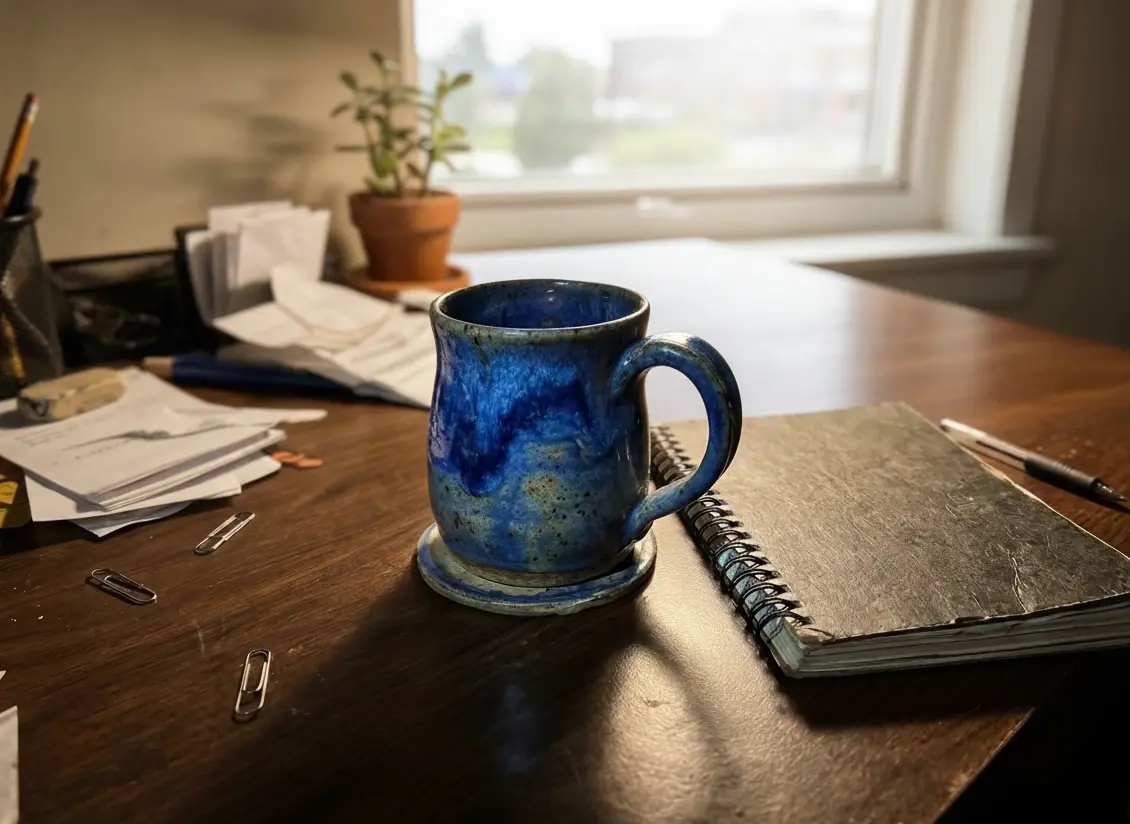
Replace the background of this photo with a warm wooden table by a sunny window. Keep the main subject exactly as it is, with clean natural edges, and match the new background's light, colour and perspective to the subject. Keep every person exactly who they are: same face, identity, age, body and expression, and do not place anyone in a new situation. Keep everything else in the photo as it is unless this instruction changes it. Add no text, borders or watermarks.
黄金时刻

Relight this photo as if it were taken at golden hour: warm, low sunlight from the side with long soft shadows and a gentle glow. Change only the light, shadows and colour temperature. Keep every person exactly who they are: same face, identity, age, body and expression, and do not place anyone in a new situation. Keep everything else in the photo as it is unless this instruction changes it. Add no text, borders or watermarks.
01
一长段提示词要求模型一次做对五件事,只要有一件出错就得从头再来。在对话里,每条消息只改一处,每个结果在下一步之前就能看到,改坏的一步只需一次撤销。对话还会标出每条消息回复的是哪个气泡,所以你始终清楚改的是哪一张。
02
好的修图提示词会说清一样东西、它在哪里、要怎么改:“去掉右边那两个人”“把墙改成柔和的鼠尾草绿”“加一点小雪,其他保持不变”。描述光线的词尤其好用:更暖、更柔和、阴天、傍晚。不要把不相关的改动堆在一条消息里,分成几轮来做。
03
人物始终是原来的样子。换脸、改变年龄、身体或身份、“脱衣”、把真实人物放进没去过的地方,都会被拒绝;去水印以及儿童或公众人物的照片也一样。每条消息和每张上传的照片在运行前都会经过检查,被拒绝的消息不扣积分。
编辑器会在运行前显示准确价格。 套餐与积分包
| 模型 | 用途 | 1K | 2K |
|---|---|---|---|
| Nano Banana (Gemini 2.5 Flash Image) | “Flash” 轮:擅长让照片其余部分保持原样 | 24 | — |
| Nano Banana 2 Lite | “Lite” 轮:更新的轻量模型;Flash 没改好时试试它 | 24 | — |
| Nano Banana 2.1 | 更清晰:把保留的一轮重绘为 2K | — | 35 |
每条消息一处具体的改动:改什么、在哪里、怎么改,比如“去掉左边的垃圾桶”或“光线暖一点,像傍晚那样”。再用第二条消息补充,而不是一次全写完。
不是。消息修改的是它所回复的那个气泡里的照片,通常是最新的结果。回复原图或更早的气泡,就会从那里开出分支。
是的。撤销、回到原图和切换分支都只是在对话里移动,只有新的一轮才会扣积分。
不需要。对话在手机和电脑的浏览器里都能用,刷新页面后当前对话仍保存在你的设备上。
由你在顶部选的选项决定:Flash(Nano Banana,Gemini 2.5 Flash Image)或 Lite(Nano Banana 2 Lite)。「更清晰」使用 Nano Banana 2.1 以 2K 输出。这些是 Google 的模型,我们与 Google 没有关联。