Edit photo with AI prompt, then keep the chat going

To edit a photo with an AI prompt here, send the photo and type the change as a message. The edited photo comes back as a reply, and your next message edits that reply, not the original. That makes it easy to go step by step: brighter first, then a cleaner background, then golden-hour light, with every step kept in the thread.

Updated

  1. Sample thread

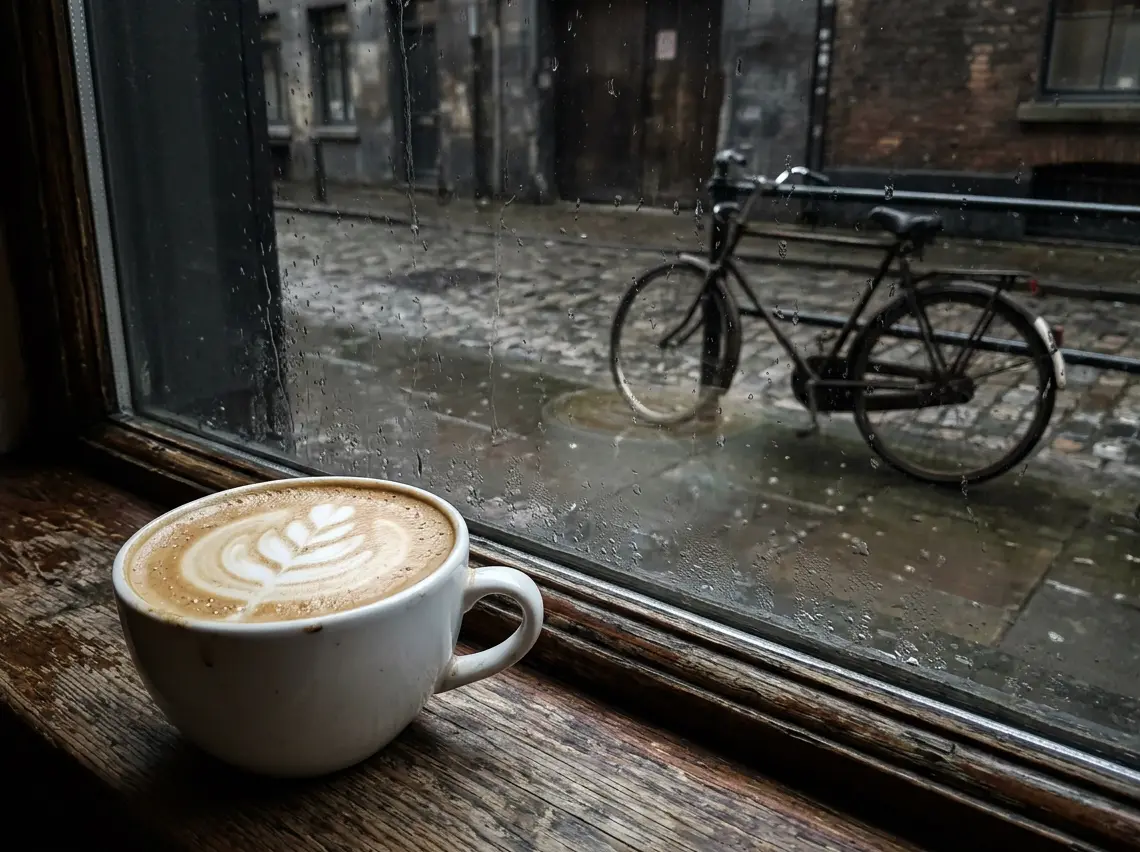
    Latte on a rainy cafe window sill, brightened to clear natural light: Before

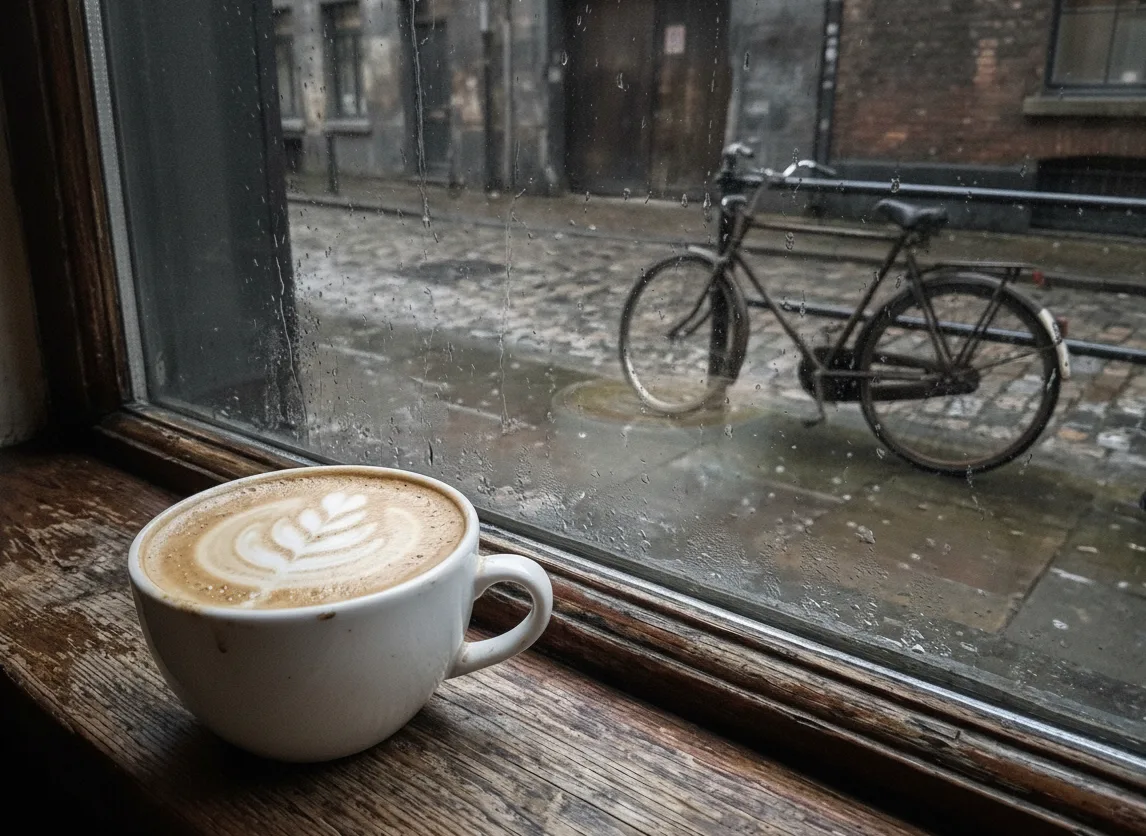
    Brighter

    Latte on a rainy cafe window sill, brightened to clear natural light
Sign up free: 24 credits to start

Your 24 free credits cover one chat edit (24 credits). No card needed.

How it works

  1. 1

    Send the photo

    JPG, PNG, WebP or HEIC up to 10 MB. Confirm it is yours or that you may edit it; HEIC from an iPhone is converted in your browser.

  2. 2

    Write the prompt as a message

    Type the change in plain words, or tap a quick reply: Brighter, Remove clutter, Golden hour, Sticker. The credit price shows on the send button.

  3. 3

    Reply, branch or undo

    Reply to the newest bubble to keep going, to an older one to branch, or tap Undo to step back for free. Download, share or copy any result.

Good for

  • People who know what they want but not which slider does it
  • Several small edits in a row without starting over
  • Trying two directions from the same point and keeping the better one
  • Editing on a phone with one thumb
Rainy cafe window, brightened and warmed
  1. Latte on a rainy cafe window sill, brightened to clear natural light: Before
  2. Brighter

    Latte on a rainy cafe window sill, brightened to clear natural light
    Exact instruction sent

    Make this photo brighter and clearer: lift the shadows, balance the exposure and add a little natural contrast, as if it were shot in better light. Change only the light and colour. Keep every person exactly who they are: same face, identity, age, body and expression, and do not place anyone in a new situation. Keep everything else in the photo as it is unless this instruction changes it. Add no text, borders or watermarks.

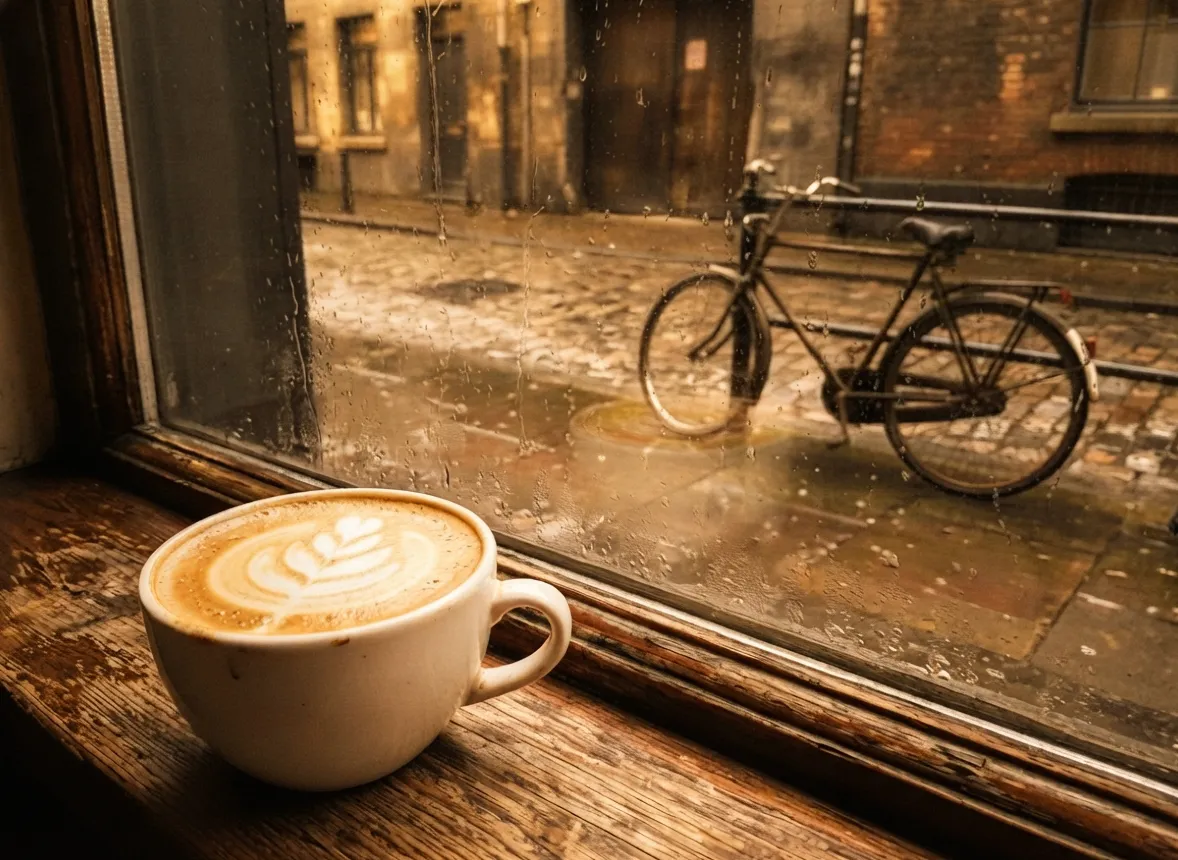
  3. Golden hour

    The same cafe window sill in warm golden-hour light
    Exact instruction sent

    Relight this photo as if it were taken at golden hour: warm, low sunlight from the side with long soft shadows and a gentle glow. Change only the light, shadows and colour temperature. Keep every person exactly who they are: same face, identity, age, body and expression, and do not place anyone in a new situation. Keep everything else in the photo as it is unless this instruction changes it. Add no text, borders or watermarks.

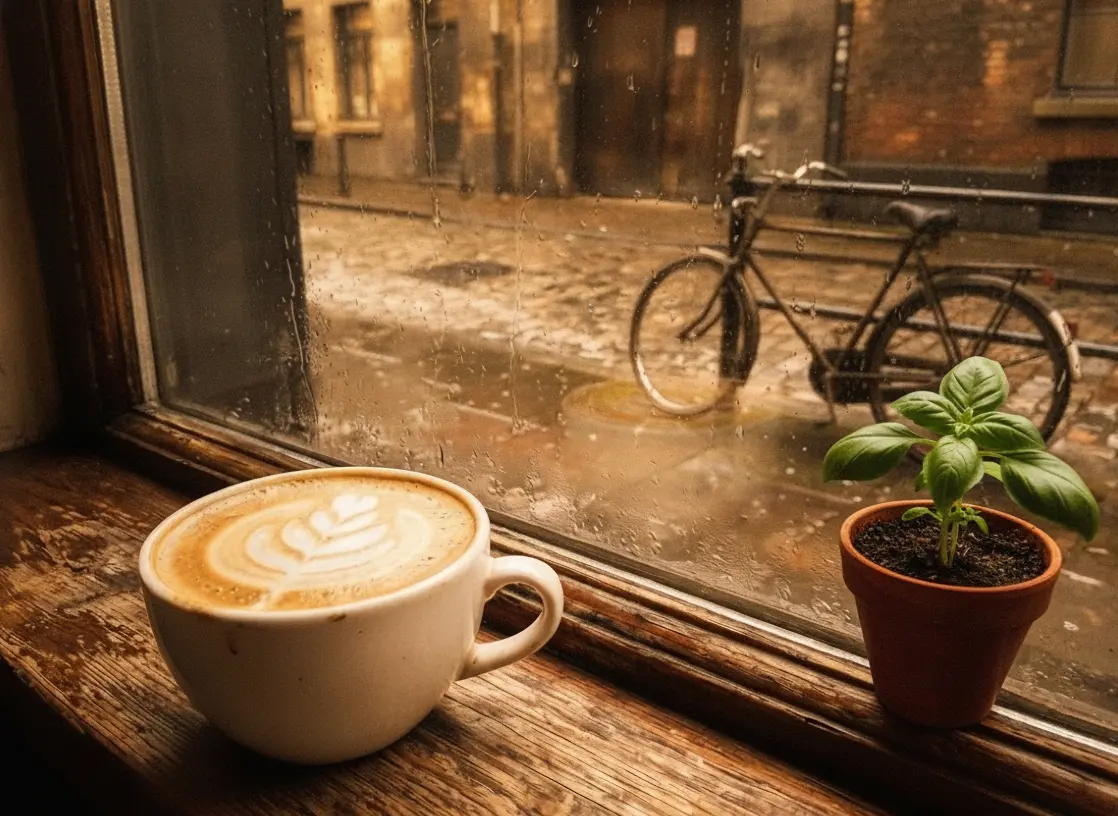
  4. add a small potted basil plant next to the cup

    Latte on the warm window sill with a small potted basil plant beside it
    Exact instruction sent

    Edit this photo: add a small potted basil plant next to the cup. Keep every person exactly who they are: same face, identity, age, body and expression, and do not place anyone in a new situation. Keep everything else in the photo as it is unless this instruction changes it. Add no text, borders or watermarks.

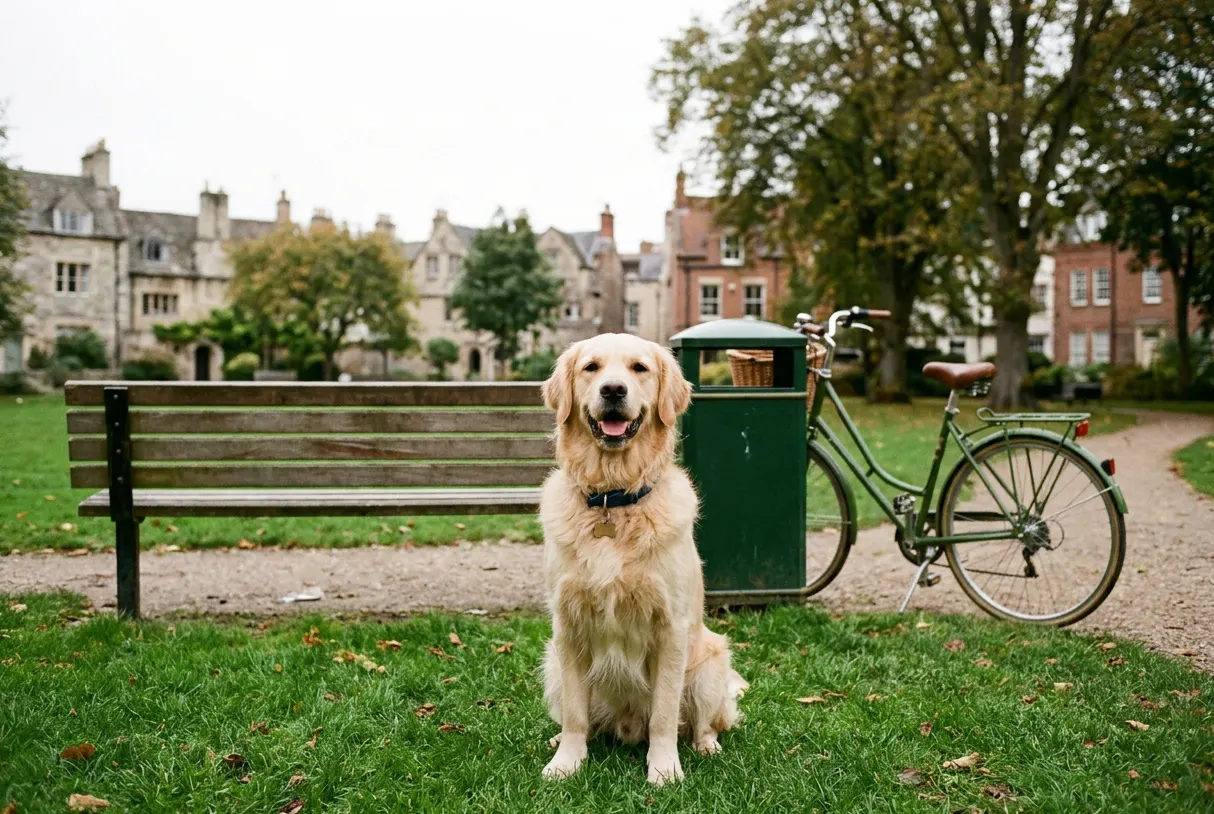
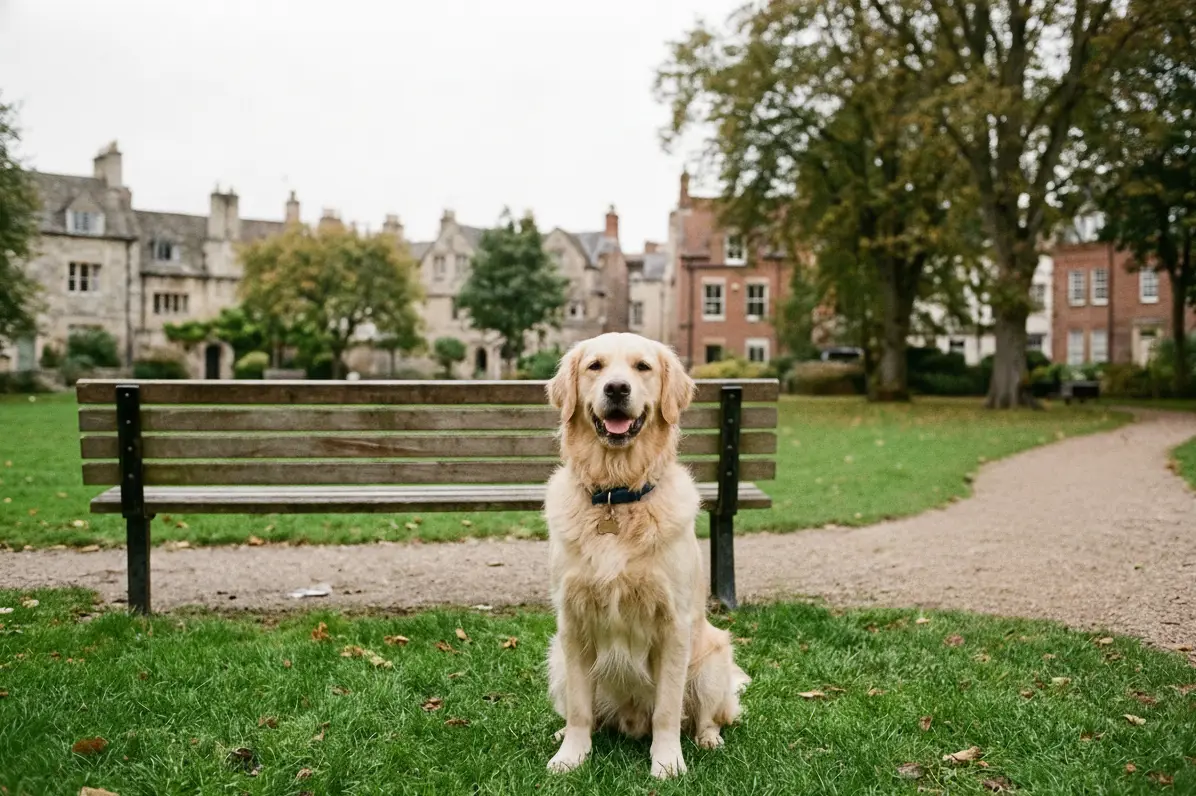
Dog in the park, tidied up and made a sticker
  1. Golden retriever on park grass with the bin and bicycle removed: Before
  2. Remove clutter: the green rubbish bin and the bicycle next to the bench

    Golden retriever on park grass with the bin and bicycle removed
    Exact instruction sent

    Remove the green rubbish bin and the bicycle next to the bench from this photo and fill each area with what would naturally be behind it, matching the surrounding texture, light and perspective. Leave no trace, ghosting or blur. Keep every person exactly who they are: same face, identity, age, body and expression, and do not place anyone in a new situation. Keep everything else in the photo as it is unless this instruction changes it. Add no text, borders or watermarks.

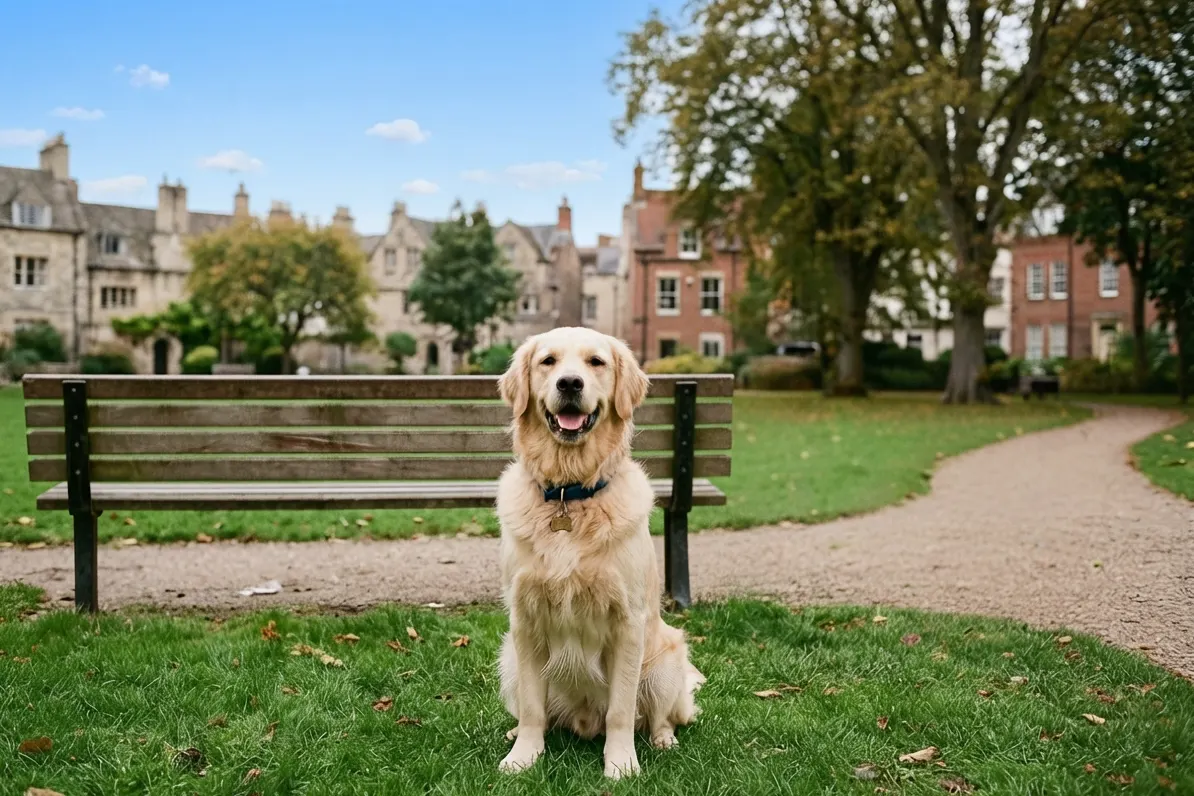
  3. New sky

    The same park scene under a blue sky with soft clouds
    Exact instruction sent

    Replace the sky in this photo with a clear blue sky with a few soft clouds, and adjust the light on the scene so it matches the new sky. Change nothing else. Keep every person exactly who they are: same face, identity, age, body and expression, and do not place anyone in a new situation. Keep everything else in the photo as it is unless this instruction changes it. Add no text, borders or watermarks.

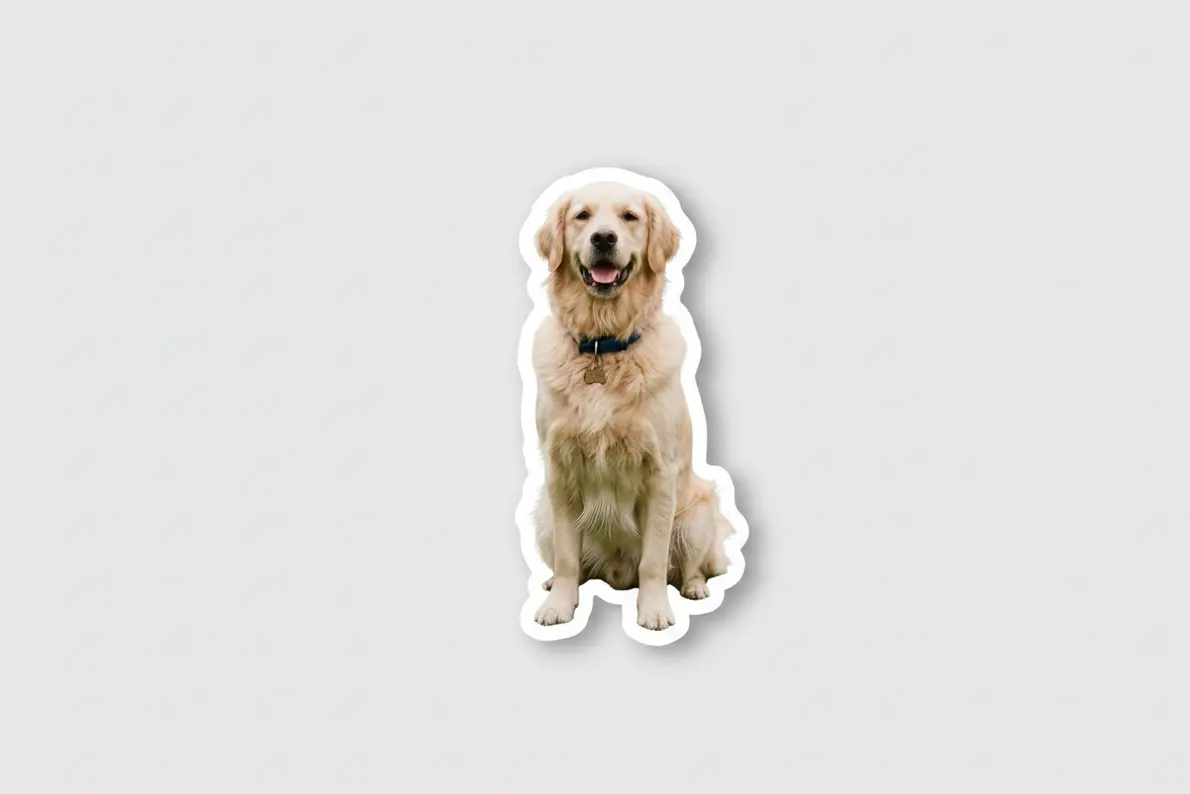
  4. Sticker

    The golden retriever as a die-cut sticker with a white border
    Exact instruction sent

    Turn the main subject of this photo into a die-cut sticker: the subject cut out with a thick clean white border and a soft drop shadow, on a plain light background. Keep the subject's shape, colours and details as they are. Keep every person exactly who they are: same face, identity, age, body and expression, and do not place anyone in a new situation. Keep everything else in the photo as it is unless this instruction changes it. Add no text, borders or watermarks.

Old-town street, sunset sky and first snow
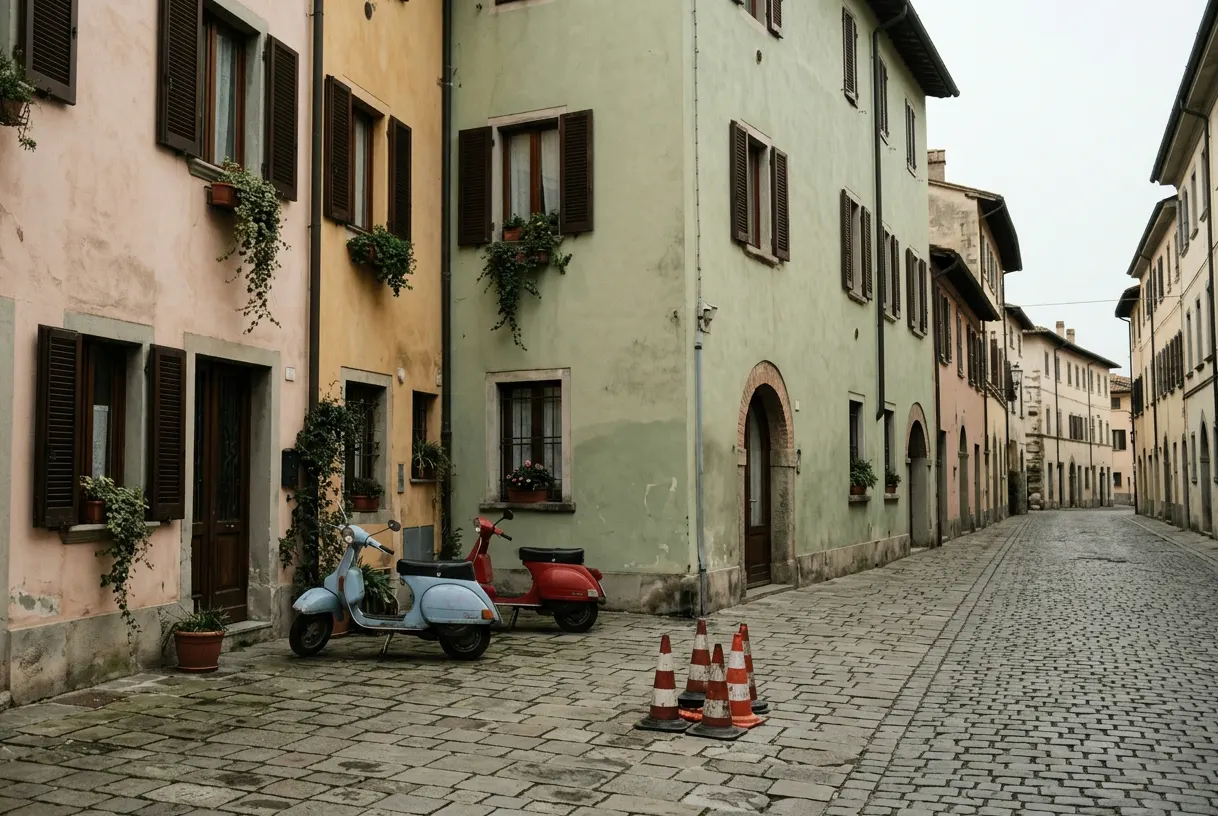
  1. Old-town street corner with scooters under a pink sunset sky: Before
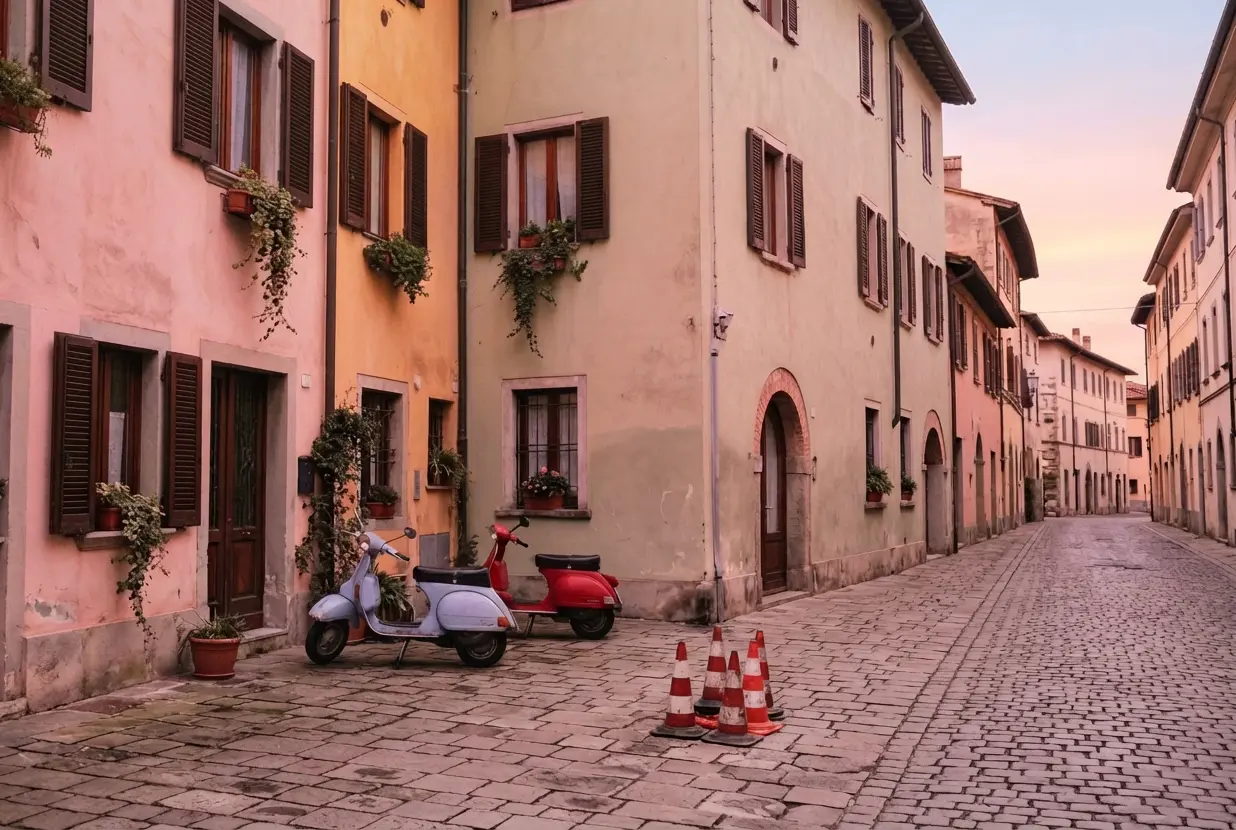
  2. New sky: a soft pink sunset sky

    Old-town street corner with scooters under a pink sunset sky
    Exact instruction sent

    Replace the sky in this photo with a soft pink sunset sky, and adjust the light on the scene so it matches the new sky. Change nothing else. Keep every person exactly who they are: same face, identity, age, body and expression, and do not place anyone in a new situation. Keep everything else in the photo as it is unless this instruction changes it. Add no text, borders or watermarks.

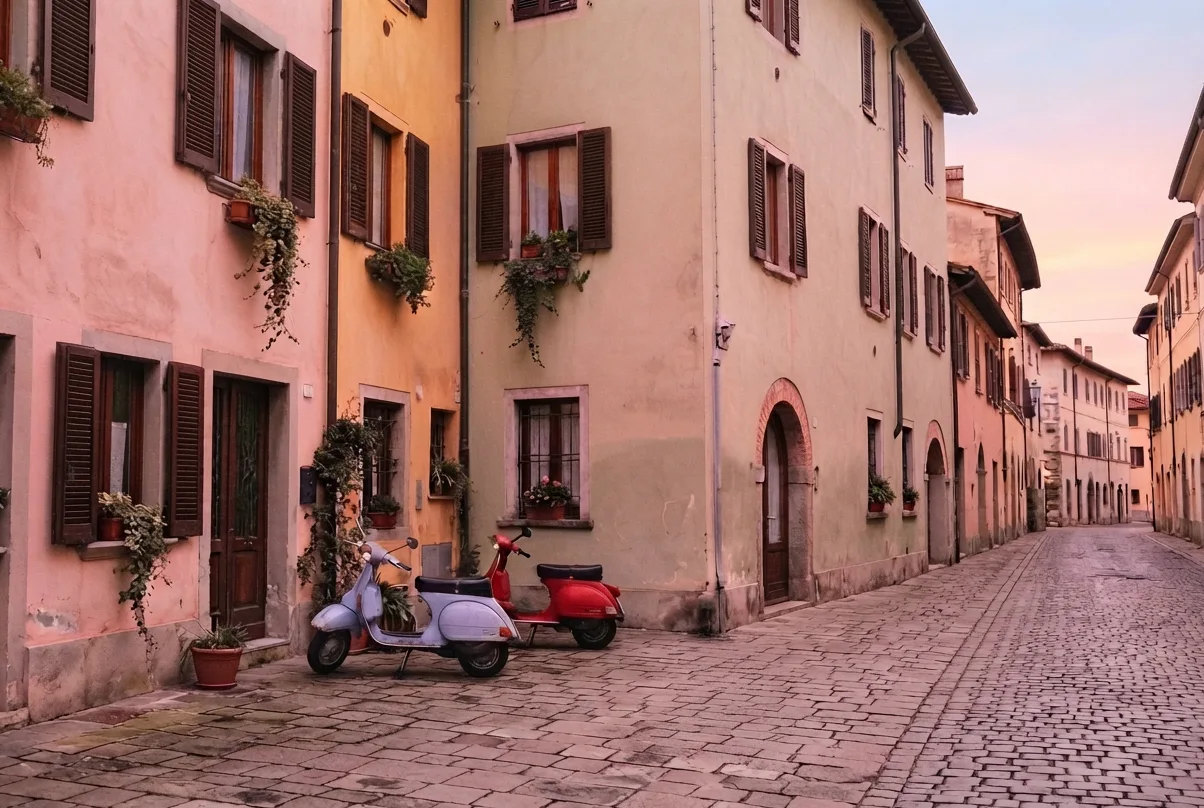
  3. Remove the traffic cones on the pavement

    The same street with the traffic cones removed
    Exact instruction sent

    Remove the traffic cones on the pavement from this photo and fill the area with what would naturally be behind it, matching the surrounding texture, light and perspective. Leave no trace or blur. Keep every person exactly who they are: same face, identity, age, body and expression, and do not place anyone in a new situation. Keep everything else in the photo as it is unless this instruction changes it. Add no text, borders or watermarks.

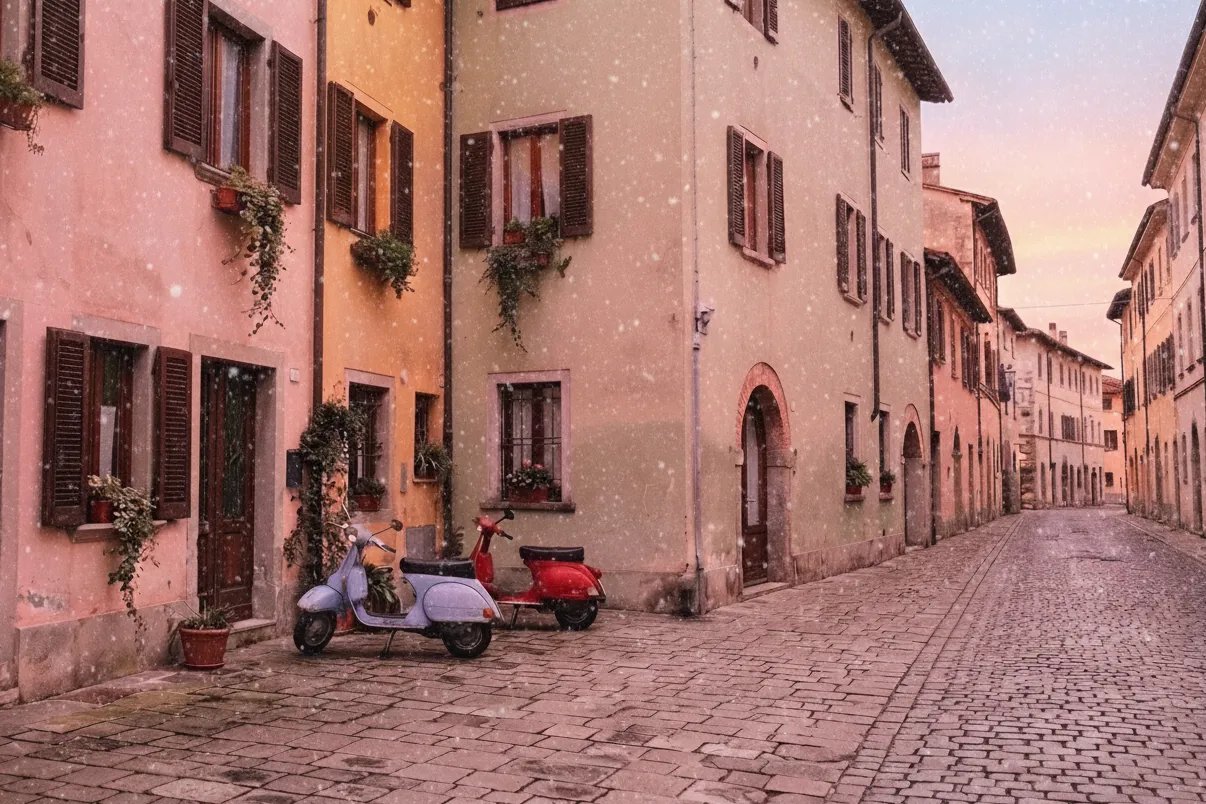
  4. add light snow falling, keep everything else the same

    The street with light snow falling
    Exact instruction sent

    Edit this photo: add light snow falling, keep everything else the same. Keep every person exactly who they are: same face, identity, age, body and expression, and do not place anyone in a new situation. Keep everything else in the photo as it is unless this instruction changes it. Add no text, borders or watermarks.

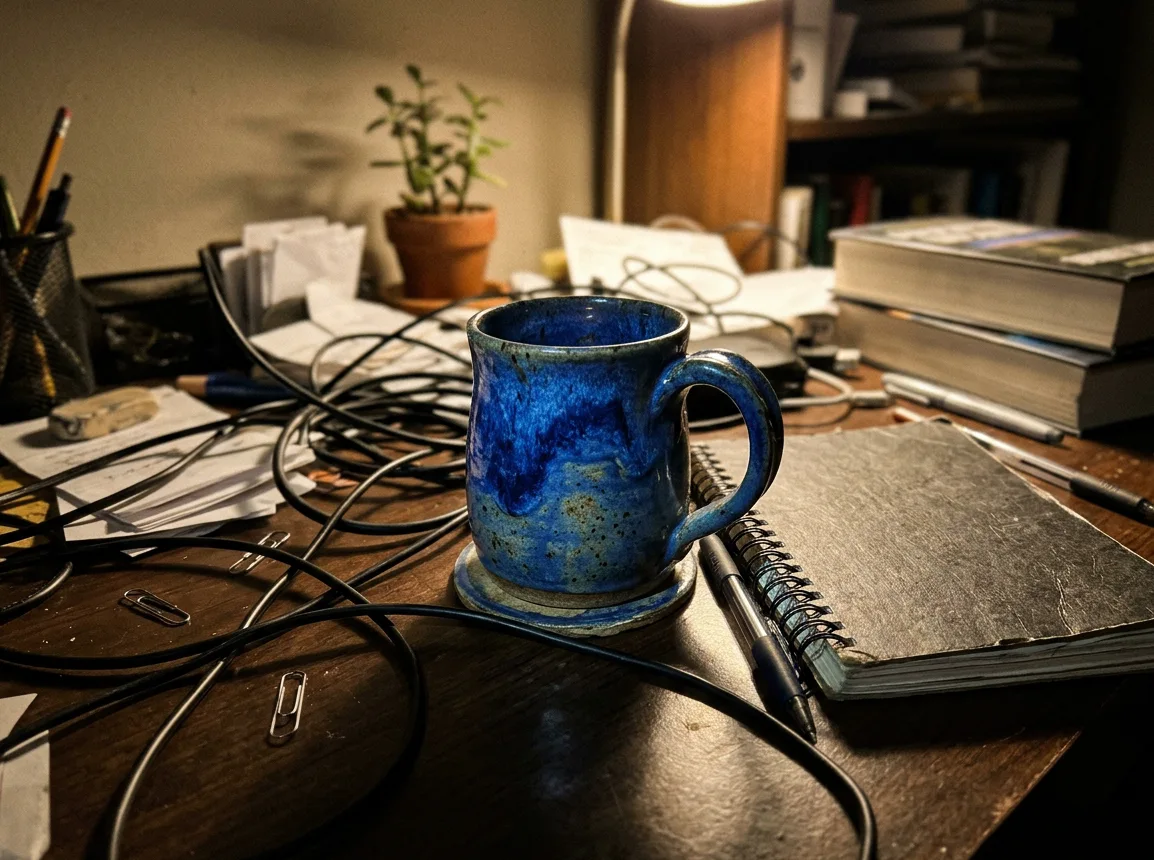
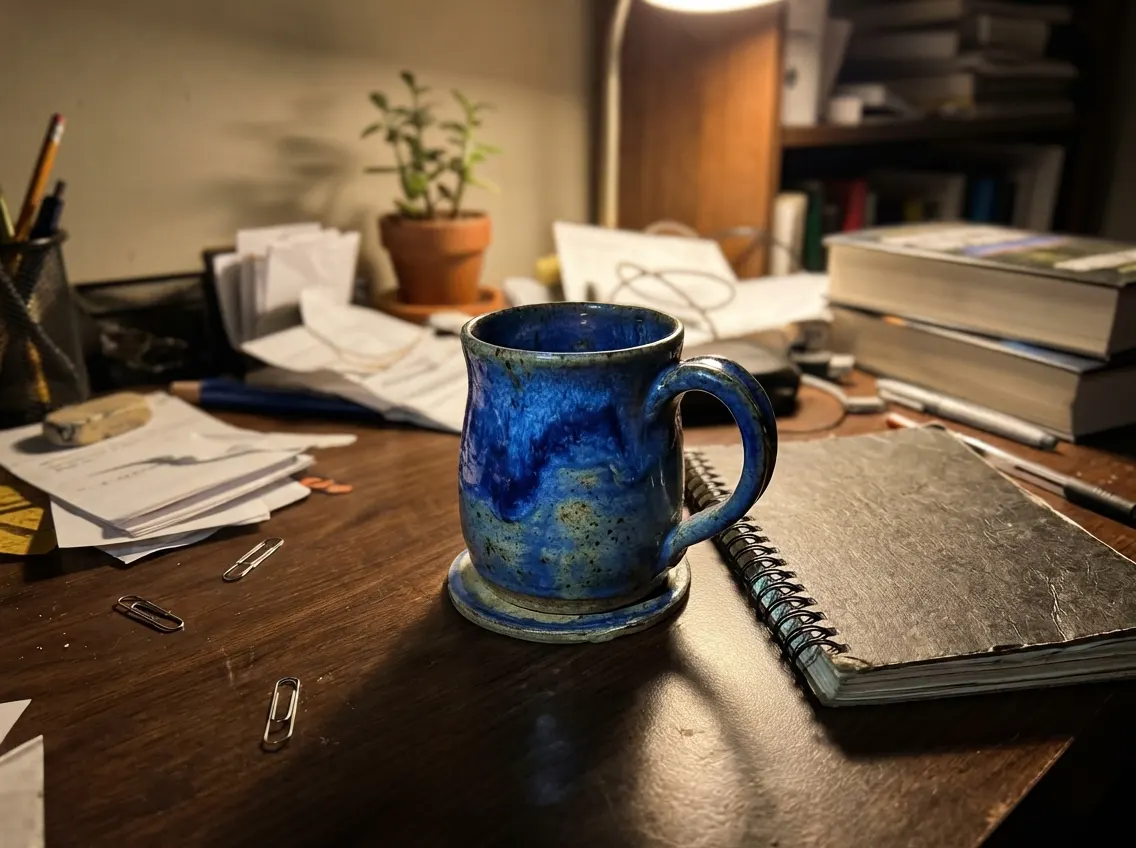
Blue mug on a messy desk, cleaned up
  1. Blue ceramic mug on a desk with the tangled cables removed: Before
  2. Remove the tangled black cables

    Blue ceramic mug on a desk with the tangled cables removed
    Exact instruction sent

    Remove the tangled black cables from this photo and fill the area with what would naturally be behind it, matching the surrounding texture, light and perspective. Leave no trace or blur. Keep every person exactly who they are: same face, identity, age, body and expression, and do not place anyone in a new situation. Keep everything else in the photo as it is unless this instruction changes it. Add no text, borders or watermarks.

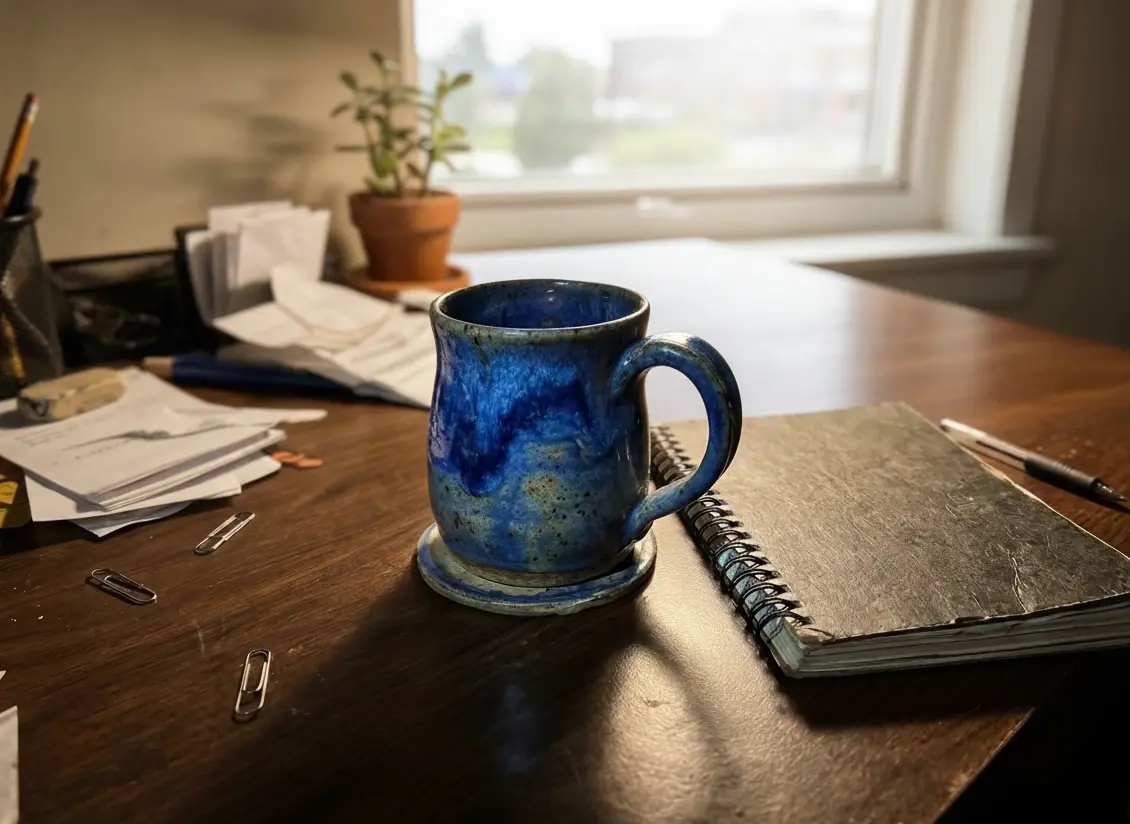
  3. New background: a warm wooden table by a sunny window

    The blue mug and notebook on a wooden table by a sunny window
    Exact instruction sent

    Replace the background of this photo with a warm wooden table by a sunny window. Keep the main subject exactly as it is, with clean natural edges, and match the new background's light, colour and perspective to the subject. Keep every person exactly who they are: same face, identity, age, body and expression, and do not place anyone in a new situation. Keep everything else in the photo as it is unless this instruction changes it. Add no text, borders or watermarks.

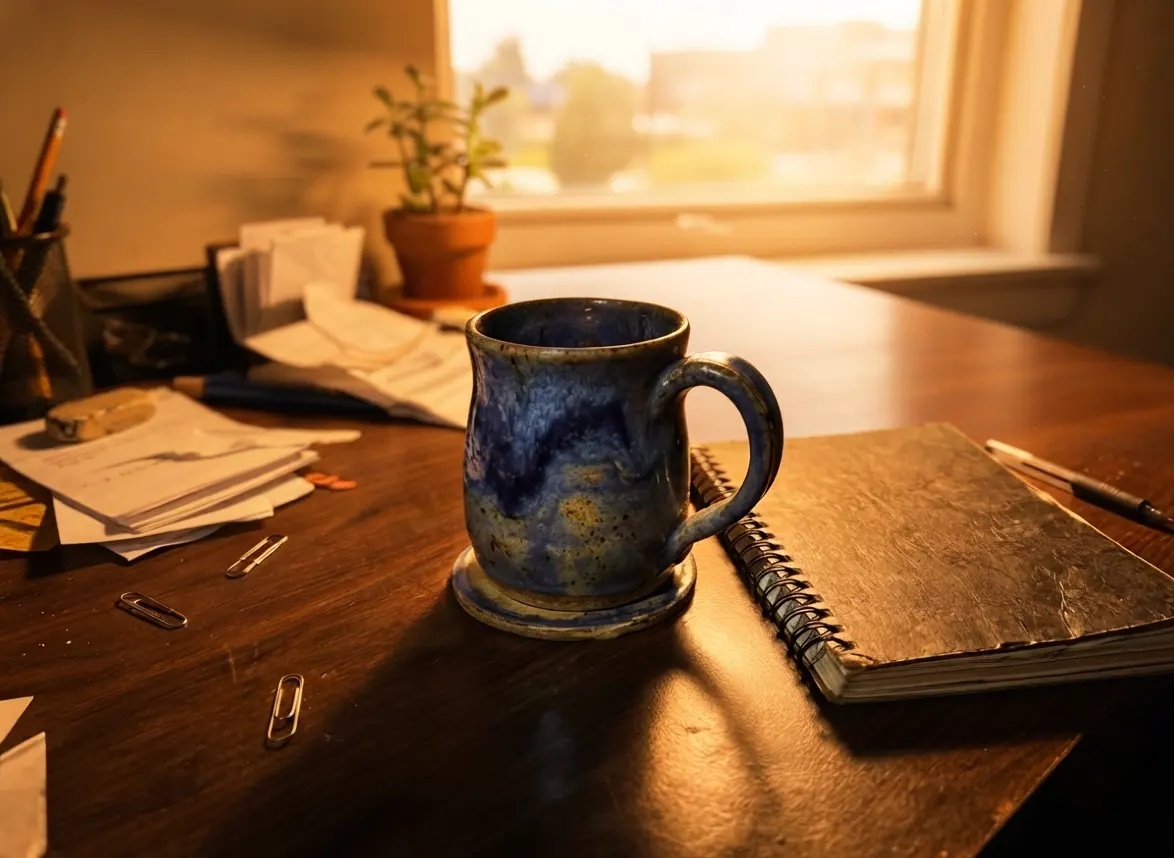
  4. Golden hour

    The same table scene in warm late-afternoon light
    Exact instruction sent

    Relight this photo as if it were taken at golden hour: warm, low sunlight from the side with long soft shadows and a gentle glow. Change only the light, shadows and colour temperature. Keep every person exactly who they are: same face, identity, age, body and expression, and do not place anyone in a new situation. Keep everything else in the photo as it is unless this instruction changes it. Add no text, borders or watermarks.

01

Why chat beats one long prompt

A single long prompt asks the model to get five things right at once, and when one goes wrong you start again. In a thread each message is one change, each result is visible before the next, and a bad step is one Undo away. The thread also shows which bubble each message answered, so you always know what was edited.

02

Prompts that work

Good edit prompts name one thing, where it is and how it should change: "remove the two people on the right", "make the walls a soft sage green", "add light snow, keep everything else". Words about light work especially well: warmer, softer, overcast, late afternoon. Avoid stacking unrelated changes in one message; split them into turns.

03

What the thread will not do

People stay who they are. Face swaps, changing someone's age, body or identity, undressing, and putting a real person somewhere they were not are refused, as are watermark removal and photos of children or public figures. Every message and every upload is checked before anything runs, and a refused message costs nothing.

Credits per edit

The editor shows the exact cost before you run anything. Plans and credit packs

ModelUsed for1K2K
Nano Banana (Gemini 2.5 Flash Image)"Flash" turns: strong at keeping the rest of the photo as it was24—
Nano Banana 2 Lite"Lite" turns: a newer, light model; try it when Flash misses24—
Nano Banana 2.1Sharper: re-renders a turn you keep at 2K—35

Questions

What is a good prompt to edit a photo with AI?

One concrete change per message: what, where and how, such as "remove the bin on the left" or "make the light warmer, like late afternoon". Follow up with a second message rather than writing everything at once.

Does each message edit the original photo?

No. A message edits the photo in the bubble it replies to, which is usually the latest result. Reply to the original or an older bubble to branch from there.

Is undo really free?

Yes. Undo, Back to original and switching between branches only move you around the thread. Only a new turn uses credits.

Do I need to install an app?

No. The thread runs in the browser on phones and computers, and your current thread stays on your device if you reload the page.

Which model runs my prompt?

The chip you picked at the top: Flash (Nano Banana, Gemini 2.5 Flash Image) or Lite (Nano Banana 2 Lite). Sharper uses Nano Banana 2.1 at 2K. These are Google models; we are not affiliated with Google.